Unihfy Games

Zenith Flip

Zenith Flip

Gravity FlipEndless RunnerOne-TouchReflexTimingHigh ScoreSpaceNeonSingle Player

Games > Zenith Flip

Play Zenith Flip • Free

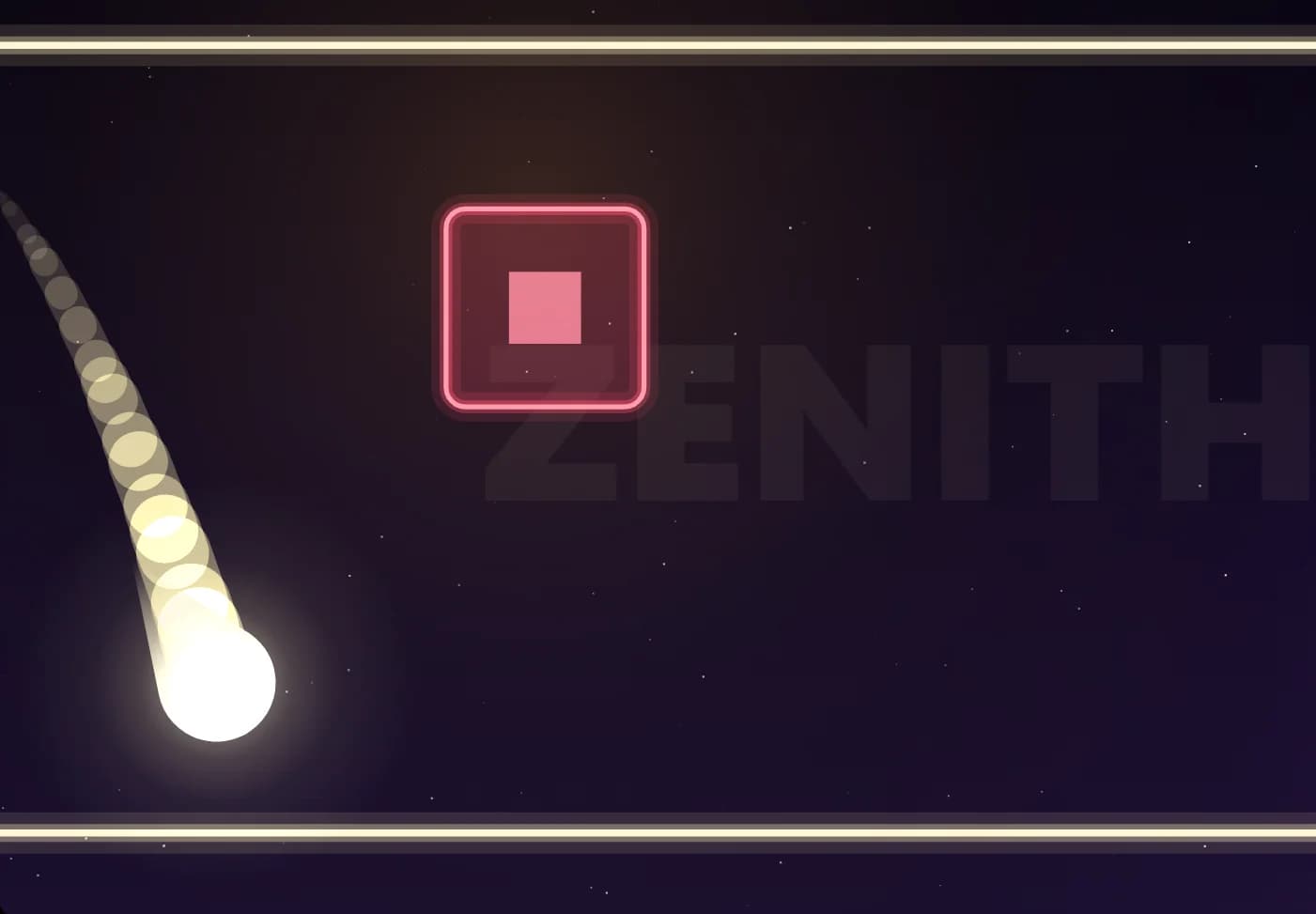
A glowing probe races down a corridor between two rails, and the only thing you control is which way gravity pulls. Tap, click or press Space to flip it to the other rail, then read what is coming: shards, broken rails, swinging blocks, pulsing lasers and fields where flipping is switched off. The pace keeps climbing, and every metre you cover counts towards your score.

Genre: Endless Runner

Difficulty: Easy to learn, hard to master

About Zenith Flip

The six zones

Ignition (from 0 m) has shards, triangular spikes standing on the floor or hanging from the ceiling. Be on the other rail when you reach one.

Breach (from 250 m) adds breaks in the rails. If the rail under you ends, flip before you fall through. You still get a brief moment to flip after running off the edge, and landing on the broken edge of a rail ends the run.

Drifters (from 600 m) adds blocks that swing steadily from one rail to the other. Time your pass for when the block is on the far side.

Lattice (from 1000 m) adds lasers along a rail. Each one blinks a dashed outline for half a second before it switches on, then turns off again after a moment. Some come in pairs on both rails that take turns.

Lockfield (from 1500 m) adds lock fields, shaded stretches marked with a padlock where gravity cannot be flipped. Pick your rail before you go in. A press near the end of a field is held and carried out as you leave it.

Zenith (from 2200 m) adds nothing new but mixes everything together at full pace, with a small milestone every 500 m after that.

Every stretch has a way through

The course is laid out fresh for every run, but each section is checked before it appears. The game plays it every possible way and only keeps it if at least one line through survives, with a little extra room so nothing needs pixel-perfect timing.

Collision shapes are slightly smaller than what is drawn, so a near miss counts as a miss.

Fair on any screen

The game always shows the same amount of time ahead of the probe, whether you play in portrait or landscape. On a wide screen the course fades into fog at that point, so turning your phone sideways does not let you see further.

If the screen is rotated or resized during a run, the game pauses and counts you back in with 3, 2, 1 when you continue.

What the game keeps

Your best distance is saved on Unihfy Games in this browser and shown on the game over screen, with a New best! message when you beat it.

Your Sound and Shake settings, and whether you have seen the first-run hint, are saved the same way.

Reviewed By
Kaushik Hirpara

Developer · Game Reviewer

Kaushik Hirpara is a full-stack developer and game reviewer at Unihfy Games. He does most of the work of bringing games to the site — adapting them to run properly in a browser, getting them working on phones, playing them, and writing up what players need to know.

View Profile
Game Created By

Unihfy Games

Zenith Flip is an original game created and published by Unihfy Games. We continue to improve it with new features, gameplay enhancements, and platform optimizations.

Designed and built in-house by Kaushik Hirpara at Unihfy Games. All code, art and sound are original.

Proprietary SoftwareAll game credits

How to Play

  • Tap, click or press Space on the title screen to start a run. The probe begins on the floor rail and runs forward on its own.
  • Each flip reverses gravity, and the probe crosses to the opposite rail in about a third of a second.
  • You can only flip while touching a rail. A press made just before landing is remembered and carried out the moment you touch down.
  • Your score is the distance covered in metres, shown at the top of the screen along with the name of the zone you are in.
  • The course is split into zones. Each new zone opens with a short clear stretch, then an easy introduction to the hazard it adds.
  • The speed rises the further you get, up to a fixed top speed, and hazards come closer together.
  • Touching a hazard, or falling through a break in a rail, ends the run. Tap or press Space on the game over screen to go again.

Gameplay Preview

Features

One-input gameplay: tap, click or press a key to flip gravity
Five hazard types introduced across six zones
Every section of the course checked to have a way through
Early presses remembered and carried out on landing
Lasers that warn for half a second before they switch on
Neon look drawn entirely in code, with colours that shift between zones
Original synthesised sound effects and a drone that follows the zone and speed
Pause at any time, with a 3, 2, 1 countdown when you continue
Sound and screen-shake settings that are remembered
Plays in portrait or landscape on phones, tablets and desktop browsers

FAQs

What is the goal in Zenith Flip?

Travel as far as you can. The probe runs by itself and your score is the distance covered in metres. The run ends when you hit a hazard or fall through a break in a rail.

How do I control the probe?

Only gravity. Tap, click, or press Space, Up, Down, W, S or Enter to flip the probe to the opposite rail.

Why didn't my flip work?

You can only flip while touching a rail, and never inside a lock field. A press made just before landing, or near the end of a lock field, is held and carried out as soon as a flip is possible.

Is every section really possible?

Yes. Each section is tested before it appears and only kept if there is a way through it, with some extra room for timing.

How do I pause or turn off the sound?

Use the pause button in the top left, or press Esc or P. The pause screen has Sound and Shake switches. You can also press M, or use the speaker button, to turn sound on or off at any time.

Is my best score saved?

Yes. Your best distance and settings are kept in this browser and shown after every run. Clearing your browser data removes them.

Who made Zenith Flip?

Zenith Flip was designed and built in-house at Unihfy Games by Kaushik Hirpara. Its code, art and sound are all original, and everything you see and hear is generated by the game itself.

More like this

Ready for a New Challenge?

Take on exciting quizzes, improve your general knowledge, earn XP, collect rewards, maintain your daily streak, and compete with players on the Quiz Arena leaderboard.

Go to Quiz Arena