Unihfy Games

Complete Guide
Gaming

Best Free Browser Games for Low-End PCs and Laptops

Choosing browser games for an older or modest computer is about more than finding titles that run in a browser. Learn what affects browser-game performance, which game styles are sensible starting points, and discover free games worth trying first.

Format

In-Depth Guide

Reading Time

11 min read

Published

July 5, 2026

Last Updated

July 5, 2026

Nikunj Hirpara

Written by

Nikunj Hirpara

Founder · CEO

Nikunj Hirpara is the Founder and CEO of Unihfy Games, where he leads the platform's direction, growth, and development as an online destination for browser games, quizzes, and gaming content.

View Author Profile

Play Smarter, Not Harder

Free Browser Games Can Be a Great Fit for Modest PCs—If You Choose Carefully

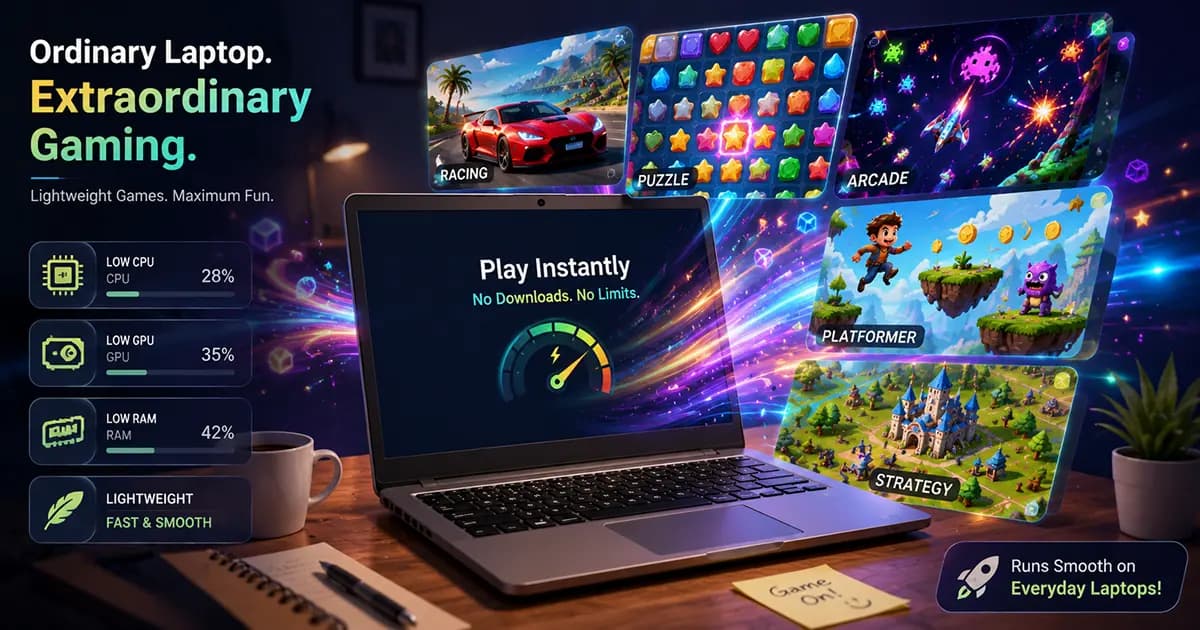
Opening a game in your browser does not automatically mean it will be easy for every computer to run. A simple puzzle and a visually busy 3D racer may both launch in a browser while placing very different demands on the same laptop. If your computer has limited memory, integrated graphics, an older processor, or simply starts slowing down when many tabs are open, choosing the right kind of game matters just as much as choosing a fun one. This guide explains why browser-game performance varies, how to recognize game styles that are often better starting points on modest hardware, practical ways to improve the browser environment, and several free browser games that are worth trying before moving on to more visually demanding experiences.

What you will learn

01

Understand the factors that influence browser-game performance beyond the game itself.

02

Discover lighter game styles and free browser games that are sensible places to start on older or entry-level computers.

Start with the fundamentals and move through the topic step by step.

Myth vs Reality

Common Browser Gaming Myths

01

The Myth

Every browser game is lightweight because nothing needs to be installed.

The Reality

Browser games vary widely. Some display simple 2D play areas, while others feature detailed 3D scenes, effects, and larger worlds that may place greater demands on a device.

02

The Myth

If a browser game stutters, the computer must be too old.

The Reality

Performance can also be affected by available memory, background applications, browser extensions, multiple open tabs, graphics support, and the game's own design.

03

The Myth

A 2D game can never struggle.

The Reality

Many 2D games are visually simpler, but actual performance still depends on the browser, the computer, and what else is happening on the system.

04

The Myth

Closing the game tab is the only way to improve performance.

The Reality

Reducing unnecessary browser activity, restarting the browser, and freeing system resources may also improve the overall experience.

01

Understanding Performance

Why Some Browser Games Are Easier to Run Than Others

Instead of asking whether a browser game is 'good for low-end PCs,' it is more useful to ask what the game is trying to do. Visual complexity, animation, the amount of information on screen, and the overall design can all influence how demanding a game feels.

Under the Surface

Browser Gaming Performance Has Several Layers

No single factor determines how well a browser game runs. Think of the experience as several connected layers working together.

01

The Game

A small puzzle with limited animation generally places different demands on a browser than a large 3D racing game with dynamic environments and many visual effects.

02

The Browser

Modern browsers handle graphics differently, and browser updates, extensions, and settings may influence how efficiently a game runs.

03

Available Memory

Dozens of open tabs and memory-heavy websites can reduce the resources available for the game you want to play.

04

Background Activity

Streaming applications, downloads, video calls, and other software running at the same time may compete for processing power.

05

The Device

Every computer is different. Processor generation, integrated graphics, available RAM, storage speed, and display resolution all contribute to the overall experience.

02

Choosing Wisely

Start With Simpler Game Styles Before Jumping Into Complex 3D Experiences

If your computer is several years old or tends to slow down under heavier workloads, beginning with visually straightforward games helps you understand what your browser and device can comfortably handle.

03

Game Recommendations

Games Worth Trying Before More Visually Demanding Browser Titles

The goal is not to avoid ambitious browser games forever. Instead, start with games that have simpler gameplay structures and then decide whether your computer is comfortable enough to move toward larger experiences.

Quick Diagnostic

If a Simple Browser Game Still Struggles, Check the Environment First

Before assuming the game is simply too demanding, spend a minute looking at what else your browser and computer are doing. Small changes may free resources for the game, although results vary from one device to another.

Close browser tabs you no longer need.

Pause or exit memory-heavy applications running in the background.

Restart the browser if it has been open for a long time.

Try playing in the default browser window before switching to fullscreen.

If a game behaves unusually, another modern browser may handle it differently depending on compatibility.

Compare with a visually simpler browser game to see whether the issue is isolated or more general.

Continue the journey

04

Practical Tips

How to Give a Browser Game More Room to Run

Improving the environment around a browser game is often easier than immediately looking for new hardware. None of these suggestions guarantees better performance, but together they can reduce unnecessary competition for your computer's resources.

How It Flows

A Simple Routine Before Starting a Browser Game

This short checklist is useful whether your computer is several years old or simply has limited resources available.

01
Step 01

Close What You Are Not Using

Reduce unnecessary browser tabs and applications so the browser has fewer tasks competing for attention.

02
Step 02

Restart the Browser

A fresh browser session can remove accumulated tabs, temporary activity, and extensions that are no longer needed.

03
Step 03

Open One Game at a Time

Avoid running multiple browser games simultaneously, especially on computers with limited memory.

04
Step 04

Begin With the Default Window Size

If a game offers fullscreen, try the standard browser window first and see which feels more comfortable on your device.

05
Step 05

Compare With a Simpler Game

If one visually demanding title struggles, try a puzzle or board game before assuming every browser game will perform the same way.

06
Step 06

Watch for Signs Your Device Needs a Break

If the browser repeatedly becomes unresponsive or the computer behaves unusually, stop playing and allow the system to recover before trying again.

05

Knowing the Limits

Sometimes the Game Is Simply More Demanding Than Your Current Setup

Not every browser game is designed with the same visual scope or technical goals. Occasionally, choosing a different game is the most practical solution.

06

Making Better Choices

Choose the Game Style Before the Graphics

The most enjoyable browser game is not always the one with the biggest world or the most detailed effects. Matching the game's design to your computer is usually a better starting point.

Guide Complete

Start Simple, Learn What Your Computer Handles Well, Then Explore Further

Browser games can be an excellent way to enjoy gaming on an older or modest computer, but performance depends on more than the fact that a game runs in a browser. The game's design, your browser, available memory, background activity, and the device itself all contribute to the overall experience. Beginning with visually straightforward games gives you a practical foundation before moving toward more complex titles.

What to remember

Choose the Style First

Puzzle, word, board, and simple arcade games are often sensible starting points when you are unsure how demanding a browser game might be.

Remember That Performance Is Shared

The browser, open tabs, background applications, and your computer all influence how a game feels—not just the game itself.

Treat Recommendations as Starting Points

A game that works well on one modest computer may behave differently on another, so experiment with several styles before reaching conclusions.

Upgrade Gradually

Once simpler games feel comfortable, explore more visually ambitious browser titles at your own pace rather than assuming every game will suit your current setup.

You reached the end of this guide

Related Articles