01
Browser games still transfer data
Code, images, sounds, fonts, and other resources travel from servers to your device before or during gameplay.
No games found
Unihfy Games
Loading identity...
Quick Access
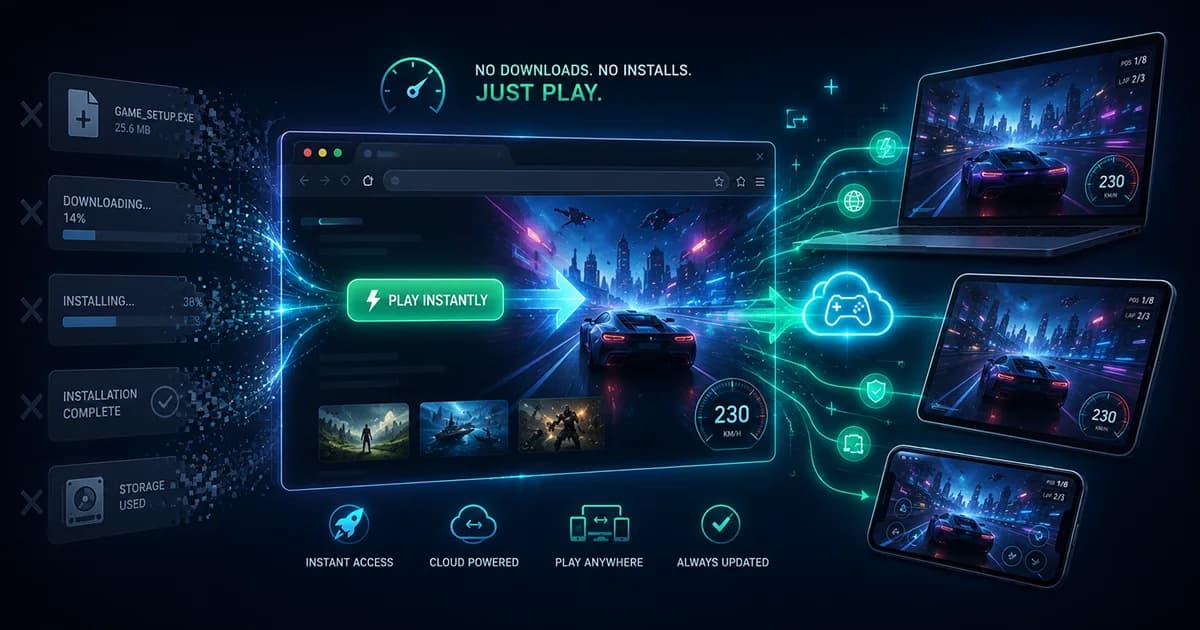
Discover why browser games can run without traditional downloads or installation. Learn what the browser actually loads, how game resources are delivered, how browser caching works, and how browser games differ from installed software.
Format
In-Depth Guide
Reading Time
11 min read
Published
July 2, 2026
Written by
Founder · Writer
Nikunj Hirpara founded Unihfy Games and decides what the site works on next. He writes the explanatory guides about how browser games work, and the geography and sports quizzes.
View Author ProfileBeginner Guide
You click a Play button, wait a few moments, and suddenly a complete game is running inside your browser. No installer appears, no setup wizard asks where to place files, and no new application icon shows up on your desktop. It can feel as though the game appeared from nowhere. In reality, something very different is happening. Browser games do receive data from the internet, but they usually avoid the traditional process of downloading an installation package and permanently installing software onto your operating system. Understanding that difference explains why browser games can feel so immediate while still delivering rich interactive experiences.
What 'no download required' actually means and why the phrase can be misleading.
How browser games receive the resources they need without a traditional installation process.
Where game resources exist while the game is running and how browser caching can help later visits.
Why browser games load, update, and sometimes require an internet connection even though no installer is used.
Quick Overview
Code, images, sounds, fonts, and other resources travel from servers to your device before or during gameplay.
Most browser games remove the separate installer-based workflow while still retrieving the files required to run.
Instead of launching a separately installed application, the browser loads and runs the game within its own environment.
Previously retrieved resources may be reused when appropriate, reducing repeated transfers without guaranteeing identical behavior for every game.
Chapter 01
The phrase 'no download required' is designed to describe the player experience rather than the underlying technology. From the player's perspective, there is no separate application package to find, download, and install before launching the game. Technically, however, information still has to travel from a server to your device. The browser retrieves only the resources needed for the game and runs them directly inside the browser instead of asking you to perform a traditional software installation. That distinction is the foundation for understanding how browser games work.
Myth vs Reality
The Myth
Browser games download absolutely nothing.
The Reality
The browser still retrieves the code, images, audio, fonts, and other resources required for gameplay. The difference is that players usually do not manually download and install an application package.
The Myth
If there is no installer, no files ever reach the device.
The Reality
Resources are transferred across the network so the browser can display and run the game. Without those resources, the game could not start.
The Myth
The entire game already exists inside the browser before I open it.
The Reality
Browsers provide the environment for running web applications, but the game's own resources normally come from servers when you access it.
The Myth
Every browser game loads every file before gameplay begins.
The Reality
Some games load many resources at startup, while others continue retrieving additional content as you progress through menus, levels, or new areas.
The Myth
Browser games store their files exactly like installed PC games.
The Reality
Installed applications and browser games manage files differently. Browser-managed resources, temporary memory, cached data, and saved progress are separate concepts and are not always handled the same way.
Chapter 02
Installed games and browser games ultimately achieve the same goal: they provide the code, graphics, sounds, and other resources needed for gameplay. The biggest difference lies in how those resources reach your device and how they are prepared for use. Traditional software usually asks the player to complete a dedicated installation process, while browser games let the browser handle much of that work automatically when the game is opened. Looking at both journeys side by side makes the distinction much easier to understand.
How It Flows
Both approaches deliver game resources, but they package, prepare, and manage them differently from the player's perspective.
With a traditional game, players often locate an installer, application package, or app store listing before downloading it. With a browser game, players typically open a website or follow a link that leads directly to the game.
Installed games usually download an installation package that contains or retrieves the application's files. Browser games instead allow the browser to request only the resources needed to begin running the game, with additional resources sometimes arriving later.
Traditional software normally installs files onto the operating system before the game can launch. Browser games skip that separate installation stage because the browser prepares the retrieved resources for immediate use within the browser environment.
Installed games are launched as separate applications from the operating system. Browser games begin running inside the browser after the required startup resources have been loaded and prepared.
Installed games may download updates through launchers or app stores. Browser games usually receive updated resources when players open or refresh the game, allowing new versions to be delivered without a traditional installation wizard.
Chapter 03
Clicking a browser game's Play button begins a series of events that happen surprisingly quickly. Although the exact order differs from one game to another, the browser follows a straightforward journey: it requests information, receives the necessary resources, prepares them, and starts the game. Some games retrieve nearly everything before gameplay begins, while others continue loading additional content in the background as new levels, areas, or features become necessary. Understanding this startup journey helps explain why browser games can still display loading screens even though they don't use traditional installation.
How It Flows
Although individual browser games are built differently, many follow a similar startup sequence. The browser retrieves what it needs, prepares those resources, and begins running the game without asking the player to complete a separate installation process.
When you open the game's web address or click Play, the browser sends a request to the server asking for the webpage and the resources needed to begin loading the game.
The server sends back the initial files that describe the page and identify which game resources are required. Exactly what is returned depends on how the game has been designed.
As the browser processes the initial response, it discovers additional resources such as game code, artwork, sound effects, fonts, configuration files, and other assets that are needed before gameplay can begin.
The browser transfers the resources required for the current stage of the game. Some games retrieve most of their content before showing the first screen, while others load additional resources later as new content becomes necessary.
After the required resources arrive, the browser organizes and prepares them so the game can begin running. This preparation happens automatically without asking the player to install software onto the operating system.
Once enough resources are ready, the game starts inside the browser. If more content is needed later, the browser may continue requesting additional resources while the player explores menus, levels, or new game areas.
Chapter 04
One of the most common questions about browser games is where they actually exist while you're playing. If no traditional installation took place, it can seem as though the game has appeared out of nowhere. In reality, different kinds of game information live in different places. Some resources remain on the developer's servers until requested, some exist temporarily while the game is running, some may be cached by the browser, and saved progress may be stored locally, online, or both depending on how the game has been designed. These are separate concepts that should not be confused with one another.
The Big Picture
A browser game is not stored in one single place. Different kinds of information are managed separately depending on their purpose and how the game has been built.
The developer's servers hold the original game files and provide them whenever players open or refresh the game.
The browser retrieves the code, images, sounds, fonts, and other assets needed for the current gameplay session.
While the game is running, many resources exist temporarily in memory so they can be used efficiently during gameplay. Closing the tab usually ends this active session.
Some previously retrieved resources may be stored in the browser's cache for possible reuse on future visits if they are still considered valid.
Game settings and player progress may be stored locally, on online accounts, or through a combination of methods depending on how the specific game has been designed.
Checkpoint
At this point, the mystery should feel much clearer. Browser games are not magically built into your browser, nor do they avoid transferring data across the internet. Instead, the browser automatically retrieves the resources needed for the current experience, prepares them, and runs the game without requiring the separate installer-based workflow that most people associate with traditional software installation.
Browser games still transfer code, images, sounds, fonts, and other resources from servers.
Receiving resources through the browser is different from manually downloading and installing an application package.
Temporary memory, cached resources, and saved progress serve different purposes and should not be confused.
Closing the browser usually ends the running session, while cached resources or saved data may remain depending on the browser and the game's design.
Different browser games use different loading and storage strategies based on their technical requirements.
Continue the journey
Chapter 05
Many players notice that a browser game sometimes loads more quickly the second time they open it. This often happens because the browser may already have valid copies of some previously retrieved resources. Instead of downloading identical files again, the browser can sometimes reuse what it has already stored. However, this behavior is not guaranteed. Exactly what is reused depends on browser behavior, developer configuration, whether resources have changed, and whether cached copies are still considered valid.
The Big Picture
Caching helps the browser avoid transferring identical resources repeatedly when appropriate, but it is only one part of how browser games are delivered.
During the initial visit, the browser usually retrieves many of the resources required to start and play the game.
Some retrieved files may be stored in a browser-managed cache so they can potentially be reused during future visits if they remain valid.
When developers update the game, the browser may need to retrieve newer versions instead of relying on previously cached copies.
If cached resources are removed by clearing browser data, the browser will usually need to retrieve those resources again the next time the game is opened.
Different browsers, websites, and caching strategies produce different results, so later visits are often—but not always—faster than the first.
Chapter 06
Traditional software often asks users to install updates before launching a new version. Browser games usually follow a different path. When developers publish changes on their servers, players often receive those changes the next time they open or refresh the game. The browser checks for the resources it needs and retrieves updated versions when appropriate. Exactly how this happens depends on the game's delivery strategy and caching configuration, but the overall experience is designed to avoid repeating a full installation process for every update.
How It Flows
Instead of distributing a new installer every time something changes, browser games typically deliver updated resources through the web whenever the player returns to the game.
New features, bug fixes, balance adjustments, artwork, or other improvements are deployed to the servers that host the game.
The latest versions of the game's files are made available so future visitors can receive the current content instead of older revisions.
When the player returns, the browser begins requesting the resources needed for the new session just as it would during any normal visit.
Depending on browser behavior and the developer's caching strategy, previously stored resources may be reused when appropriate while changed resources are requested again.
When updated resources are needed, the browser uses the newer versions so the player receives the latest experience without running a traditional installation wizard.
Once the required resources are ready, the updated game starts. Good cache management helps ensure players receive current content while avoiding unnecessary transfers whenever possible.
Chapter 07
The browser-based approach offers a convenient way to access games, but it is not perfect for every situation. Removing the traditional installation step makes it easier to begin playing, yet browser games still depend on factors such as available resources, browser capabilities, network conditions, and the design choices made by developers. Understanding both the strengths and the limitations provides a more realistic picture than assuming browser games are always faster or always more capable than installed software.
The Big Picture
Browser games reduce the barrier to playing, but they still depend on the resources available to the browser, the network, and the way each game has been designed.
Players can usually begin by opening a web page instead of locating, downloading, and installing a separate application package.
Because games are delivered from servers, players often receive the latest available version when they return, without completing a traditional installation process.
Many browser games can be opened on different compatible devices simply by visiting the game's website, although saved progress depends on how the game manages player data.
Skipping installation does not eliminate loading. Larger games still need time to retrieve and prepare the resources required before or during gameplay.
Connection quality, browser capabilities, and device performance all influence how quickly a browser game loads and how smoothly it runs.
Some browser games are designed to work offline after required resources are available, while many others rely on an active internet connection for gameplay or online features.
Guide Complete
The mystery behind browser games becomes much simpler once you separate downloading data from installing software. Browser games do not avoid transferring information to your device. Instead, they remove the traditional workflow where players manually obtain an installer or application package before adding software to the operating system. The browser requests the resources a game needs, prepares them for use, and runs the experience within the browser itself. Some resources may remain temporarily in memory, some may be reused through browser-managed caching, and updates can often be delivered automatically when players return. This approach makes many games easier to access while still relying on the same fundamental idea that every digital experience requires code and data to reach the player's device.
Browser games retrieve the code, artwork, audio, and other assets required for gameplay even though they usually avoid a traditional installer.
The biggest distinction is that the browser manages the retrieval and execution of resources instead of asking the player to install a separate application.
Previously retrieved resources may be reused when appropriate, helping some future visits load more efficiently without guaranteeing identical behavior for every game.
Browser games reduce installation barriers, but loading times, internet connectivity, browser behavior, and device capabilities still influence the overall experience.
Guides
Discover what happens behind the scenes when an HTML5 browser game loads and runs. Learn how the browser downloads files, renders graphics, processes player input, plays audio, saves progress, and communicates with online services in this beginner-friendly guide.
Guides
Explore the complete history of browser games, from the earliest web experiments and Java applets through the Flash era, online game portals, HTML5, WebGL, WebAssembly, mobile browsers, and the technologies shaping modern browser gaming.
Guides
Learn how Unihfy Games tests browser games by checking first launch, controls, gameplay, objectives, progression, browser behavior, and the accuracy of player-facing information before publishing guides and reviews.
Guides
Learn the fundamentals of puzzle games with this beginner-friendly guide. Discover the main puzzle types, practical solving strategies, common mistakes to avoid, and simple habits that help you improve over time.
Continue Exploring
Jump into browser games or challenge yourself in Quiz Arena. There's always something new to discover.