01
2014
Chrome's offline dinosaur
Chrome adds a tiny running game to its 'no internet' page. Millions of people play an instant game without ever thinking of it as one.
No games found
Unihfy Games
Loading identity...
Quick Access
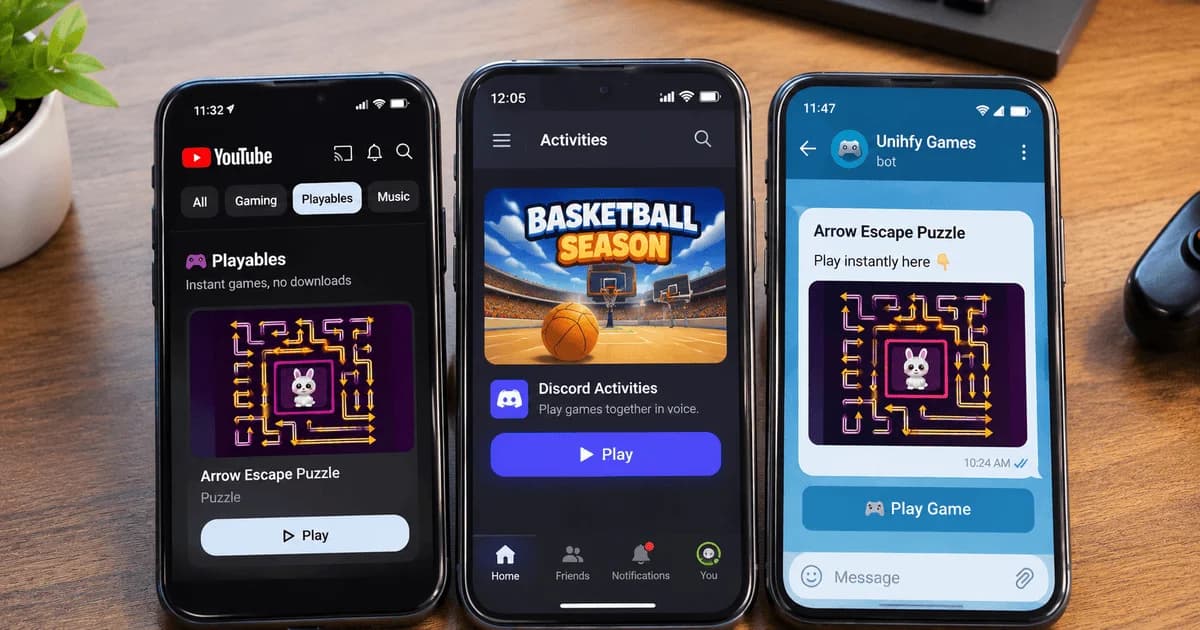
What are instant games? How tap-to-play games run with no download, where you can play them in 2026 (YouTube Playables, Discord Activities, Telegram, LinkedIn), whether they are safe, and real size numbers from the 24 games we built.
Format
Curated Article
Reading Time
9 min read
Published
November 27, 2026
Written by
Developer · Game Reviewer
Kaushik Hirpara is a full-stack developer and game reviewer at Unihfy Games. He designs and builds every game on the site, gets them playing well on phones, and writes up what players need to know.
View Author ProfileYour internet drops and Chrome shows a little dinosaur. You press Space and it starts running. A colleague shares their LinkedIn Queens score, so you open the puzzle and try today's board. A friend in a Discord call starts a game and you join it without leaving the call.
None of these asked you to visit an app store, wait for a download or give a phone permission. You tapped, and you were playing. That is the whole idea behind instant games, and in the last few years it has quietly moved from a side feature to something the biggest apps in the world are competing over.
This guide explains what instant games are, how they start so fast, where to play them and what to watch out for. We make instant games ourselves, so we also measured our own 24 to show how small a real one is.
Instant games are games that start the moment you tap or click them, with nothing to install. They run inside something you already have open: a web browser, a chat app, a video app or a social app. The game's files are downloaded quietly in the background, usually in a few seconds, and your device runs them like a web page.
Three things make a game 'instant'. There is no install step, so there is nothing to approve and nothing left on your phone afterwards. It opens in seconds, because the files are small. And it lives at a link, so it can be shared in a chat as easily as a photo.
Most instant games are built with the same tools as websites: HTML5, JavaScript and the browser's built-in drawing features. That is why they are also called HTML5 games, browser games, mini games or mini apps. The names change from app to app; the idea does not.
Through Time
Games have run in browsers for decades. What changed is where they live: inside the apps people already spend their day in.
2014
Chrome adds a tiny running game to its 'no internet' page. Millions of people play an instant game without ever thinking of it as one.
2016
Telegram lets bots serve HTML5 games inside chats, and Facebook opens a closed beta of Instant Games in Messenger and the News Feed.
2017 to 2018
Messenger's Instant Games roll out worldwide in May 2017. In January 2018, Tencent says more than 310 million people have played a WeChat Mini Game.
310 million players
2023
YouTube launches more than 30 small games, called Playables, for its Premium subscribers.
2024
In March, Discord opens its Embedded App SDK so developers can build games that run inside Discord. In May, YouTube rolls Playables out to all users. LinkedIn adds daily logic puzzles such as Queens.
The breakout year
2026
Reports put YouTube Playables in more than 50 markets, and Discord Activities run on desktop, web and phones.
Small games inside the YouTube app and website, from puzzles to arcade games. Availability depends on your country and account.
Games that start from a voice call or chat, so the whole group plays together. Under the hood they are web apps running inside Discord.
Games and tools that open inside a Telegram chat, built with standard web technology. Quality varies a lot, so pick carefully.
Short daily logic puzzles such as Queens, Tango and Zip, with a fresh board every day and scores your connections can see.
One of the first big homes for instant games, with score-based games you can challenge friends in.
Sites like ours, where games open in a browser tab on any phone, tablet or computer, with no app and no account needed to start.
None of these companies publish all of their reasons, but the pattern is easy to read. The first is time: an app you open for two minutes to check a message becomes one you stay in for fifteen if a quick game is waiting there.
The second reason is the daily habit. LinkedIn's puzzles reset once a day, and many other instant games use a daily challenge or a streak. A small reason to come back tomorrow is worth a lot to a platform, and a daily puzzle is one of the gentlest ways to create one.
The third reason is sharing. A downloaded game needs every friend to install it before they can join. An instant game only needs a link, so it spreads the way memes do: someone posts a score, a friend taps it, and seconds later they are trying to beat it. Players win too, because trying something new costs a few seconds instead of a few hundred megabytes.
How It Flows
An instant game feels like magic, but it is the same process your browser uses for any web page, just tuned to be fast.
Your tap tells the browser, or the app's built-in browser, to fetch the game's files from a server.
The game's code, styles and any sounds or fonts arrive. Good instant games keep this small.
The browser runs the game's JavaScript. For heavier work, some games also use WebAssembly, which runs code at close to app speed.
The game paints each frame onto a canvas, many times a second. For 3D, WebGL lets it use your device's graphics chip.
Levels, scores and settings are usually kept in the browser's own storage, so they are still there next time you open the game on the same device.
Most articles about instant games stop at 'they are small'. We wanted to show you real numbers, so we measured the 24 games on Unihfy Games, all of which we made ourselves. The figures below are the built, compressed code and style files each game needs, not counting the website page around it.
Games measured, all built in-house
24
Code for our smallest game, Zenith Flip
≈34 KB
Games under 250 KB of code
20 of 24
Code for our largest, the 3D truck race Tossload
≈770 KB
Picture files loaded across all 24 games
0
Games that make every sound in code
22 of 24
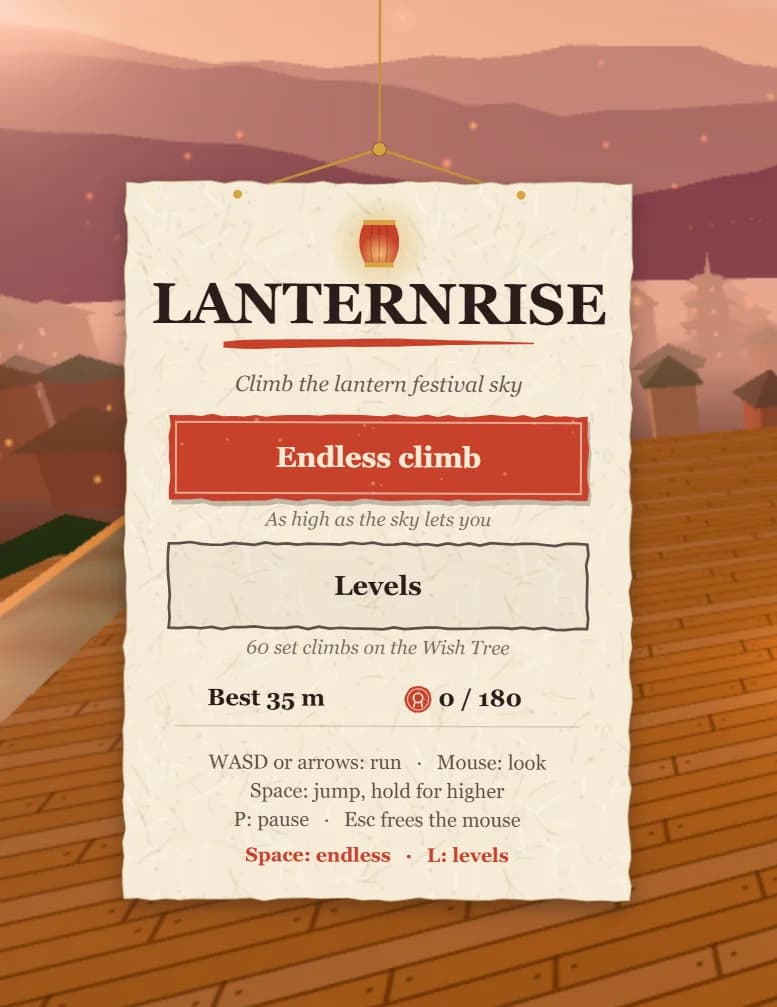
For comparison, a single photo from a modern phone camera is often a few megabytes. Twenty of our games need less than a quarter of one megabyte of code. Even Arrow Drift 3D, a 3D puzzle with 800 levels, needs only about 170 KB of code and styles. Our four biggest games sit between roughly 700 and 770 KB. Two of them, the 3D climber Lanternrise and the truck race Tossload, use a 3D drawing library called three.js, which adds a good share of that on its own.
The biggest saving comes from not loading pictures at all. None of our 24 games loads a single image file. Every character, background, button and particle is drawn by code while you play. Sound works the same way in 22 of them: instead of downloading recorded sound files, the game builds each beep, thud and drum hit on the spot using the browser's audio features.
The two exceptions are our Arrow Escape and Arrow Drift 3D puzzles. They are web editions of our own phone apps, so they share the apps' recorded sounds, music and fonts, which adds roughly 2.5 MB and 1.3 MB. That is the real trade-off: recorded audio and custom fonts feel richer, and they cost download size.
If you have ever wondered why some browser games feel smooth on an old laptop while others crawl, size is only part of it. We cover the rest in why some games run well on old laptops and in our guide on how HTML5 games work.
Myth vs Reality
The Myth
01Instant games are only tiny, simple games.
The Reality
Many are simple by design, but browsers can run full 3D worlds with WebGL. Our 3D climber and 3D cube puzzle both run in a normal browser tab.
The Myth
02Your progress disappears when you close the tab.
The Reality
Most instant games save to your browser's storage, so progress stays on that device. It is lost if you clear the site's data or switch to another device or browser.
The Myth
03You need fast internet the whole time.
The Reality
A single-player game mostly needs the network to load. After that it runs on your device. Online features like daily rankings still need a connection.
The Myth
04Browser games can get into your phone's files.
The Reality
A game in a browser tab runs inside the browser's sandbox. It cannot read your photos, contacts or files unless you choose to give it something.
The game itself is usually the safest part, because the browser keeps it walled off from the rest of your device. The risks come from the page around it: pop-ups, fake 'download' buttons and requests to install something. A real instant game never needs you to install a file or an extension to start playing. If a page insists, close it.
The most likely future is not one side winning. It is the same game being available both ways, and you choosing the door that suits the moment. We already do this with two of our puzzles.
Arrow Escape and Arrow Drift 3D started as our own phone apps, and their web editions open straight in a browser tab. The app suits someone who plays every day on the same phone. The instant version suits someone who wants to try a level on a laptop, play the daily puzzle without installing anything, or send a friend a link and have them playing in seconds.
One thing to know if you switch between them: browser progress lives in the browser you play in. Our guide on how browser games save progress explains what is stored, where, and how to avoid losing it.
Quick Reference
A game built with web technology (HTML, CSS and JavaScript) that runs in a browser. Most instant games are HTML5 games.
A browser feature that lets a page use your device's graphics chip, which makes 3D games possible in a tab.
A fast, compact code format that browsers can run at close to app speed, often used for heavier games and game engines.
A small app or game that opens inside a bigger app, such as a chat app, without a separate install.
YouTube's name for the instant games inside its app and website.
Playing a game that runs on a remote server while your device receives a video stream. Different from instant games, which run on your own device.
Quick Overview
A game that starts with one tap or click and needs no install. It runs inside a browser or an app you already have, such as YouTube, Discord or a chat app.
Most are free to start. Some platforms and games offer purchases or subscriptions, so check before you pay for anything.
Yes. Most are designed for phones first, using taps and swipes, and also work with a mouse or keyboard on a computer.
Usually not to start. Accounts are mostly used for rankings, saving across devices or playing with friends.
Some keep running after they load, because single-player play happens on your device. Loading the game and online features need a connection.
Quick Picks
Every game here opens in your browser in seconds, on a phone or a computer, with nothing to install.
Arcade
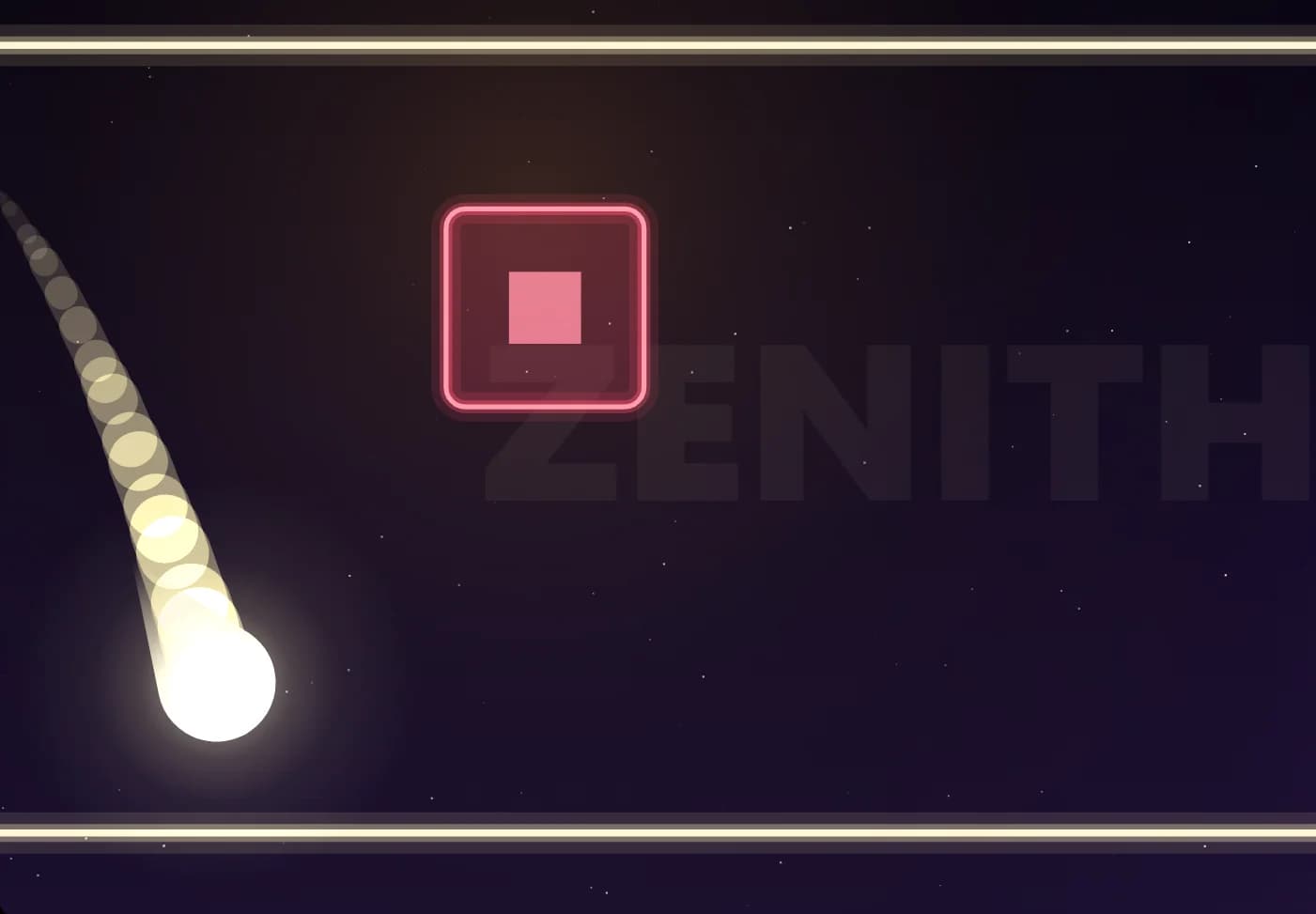
About 34 KB of code. Tap to flip gravity between two rails and dodge what comes at you.
Puzzle
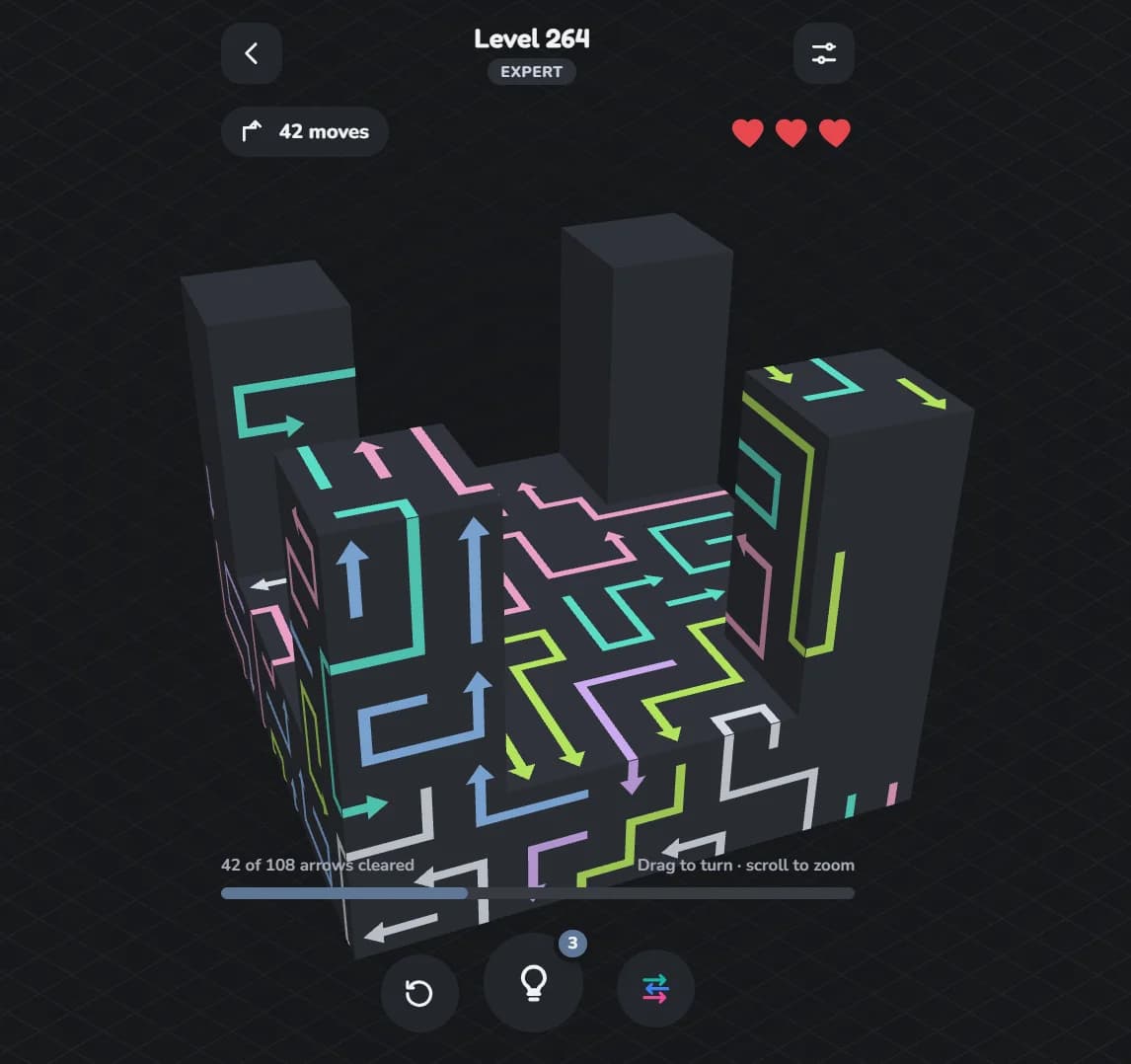
Rotate shapes made of cubes and clear every arrow, with a new 3D puzzle every day.
Action
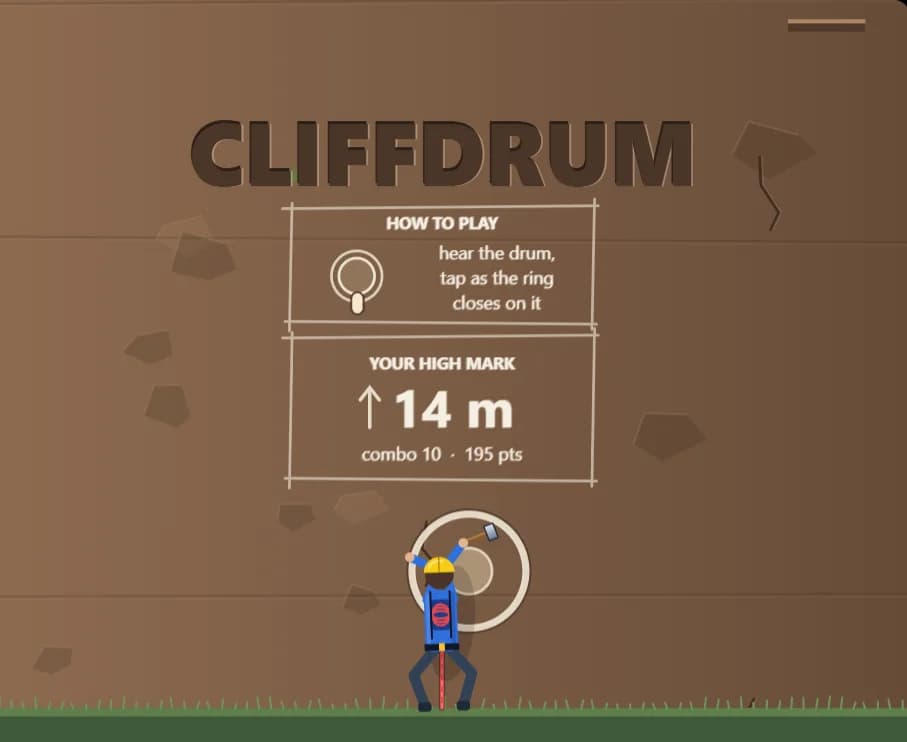
Tap on the drum beat to hammer in pitons and climb a cliff. One button, and very hard to put down.
Arcade
Run and jump up through a sky lantern festival in full 3D, with no download at all.
Some people open an instant game for thirty seconds between messages. Others chase a daily streak for months. To find out which one you are, our free Player Card runs five quick mini tests in your browser and shows your player type, with games that suit it.
And if you want the longer story of how games ended up in browsers in the first place, read the history and evolution of browser games, or see which ones went viral overnight.
Instant games are games you play with one tap and no install. They grew from a curiosity on Chrome's offline page into something YouTube, Discord, Telegram and LinkedIn all compete over, because they start fast, share easily and bring people back. A good one is smaller than a phone photo and runs safely inside your browser.
Guides
Discover what happens behind the scenes when an HTML5 browser game loads and runs. Learn how the browser downloads files, renders graphics, processes player input, plays audio, saves progress, and communicates with online services in this beginner-friendly guide.
Guides
Explore the complete history of browser games, from the earliest web experiments and Java applets through the Flash era, online game portals, HTML5, WebGL, WebAssembly, mobile browsers, and the technologies shaping modern browser gaming.
Guides
Learn how Unihfy Games tests browser games by checking first launch, controls, gameplay, objectives, progression, browser behavior, and the accuracy of player-facing information before publishing guides and reviews.
Guides
Browser game lagging or stuttering? Work out which kind of lag you have, then fix it: power settings, hardware acceleration, busy tabs, extensions, zoom, heat and drivers, with a quick checklist for Chrome, Edge and Firefox.
Continue Exploring
Jump into browser games or challenge yourself in Quiz Arena. There's always something new to discover.