Chess
Games > Chess
Play Chess • Free
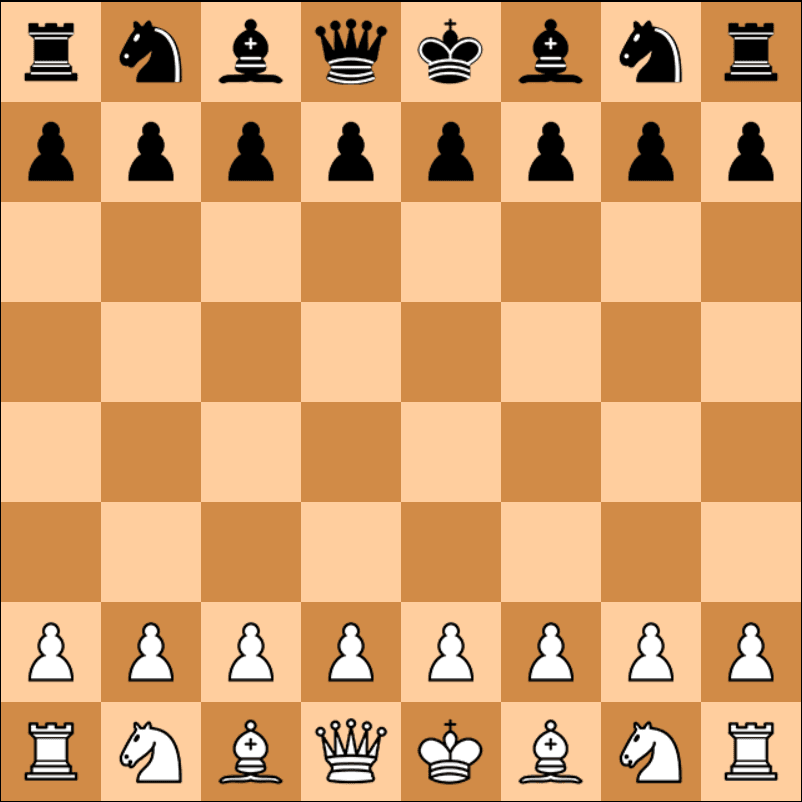
Experience the timeless strategy game of chess with a friend on the same device. This two-player local chess game features all standard pieces and special moves including castling, pawn promotion, and en passant. Perfect for players of all skill levels who want to enjoy a classic game of strategy.
Genre: Strategy
Difficulty: Medium
Developer · Game Reviewer
Kaushik Hirpara is a full-stack developer and game reviewer at Unihfy Games. He does most of the work of bringing games to the site — adapting them to run properly in a browser, getting them working on phones, playing them, and writing up what players need to know.
Unihfy Games
Chess is an original game created and published by Unihfy Games. We continue to improve it with new features, gameplay enhancements, and platform optimizations.
Game created by Unihfy Games.
How to Play
- White always moves first, then players alternate turns
- Click on your piece to select it (it will be highlighted)
- Click on a valid destination square to move your piece
- Capture opponent pieces by moving to their square
- Protect your King at all times - avoid check and checkmate
- Use special moves: Castling (King + Rook), En Passant (pawn capture), Promotion (pawn reaches end)
- Win by checkmating the opponent's King
- The game ends when a King cannot escape check
Gameplay Preview
Features
FAQs
How do I castle my King?
Castling is a special move involving your King and Rook. To castle, click on your King, then click two squares to the left or right. This is only allowed if neither piece has moved before, there are no pieces between them, and your King is not in check.
What happens when my pawn reaches the other side?
When a pawn reaches the opposite end of the board, it automatically promotes. A dialog will appear allowing you to choose which piece to promote to: Queen, Rook, Bishop, or Knight.
What is En Passant and how does it work?
En Passant is a special pawn capture. If an opponent's pawn moves two squares forward and lands beside your pawn, you can capture it by moving diagonally behind it, as if it had only moved one square. This must be done immediately on the next turn.
Can I undo a move if I make a mistake?
No, there is no undo function in this game. Once a move is made and validated, it cannot be reversed. Think carefully before making your move!
How do I know if I'm in check?
When you are in check, an error message will appear saying 'Check'. This means your King is under attack and you must make a move to protect it. You cannot make any move that leaves your King in check.
What is the difference between check and checkmate?
Check means your King is under attack but can escape. Checkmate means your King is under attack and there is no legal move to escape - the game is over and you lose.
Can I play against the computer or only with another person?
This is a two-player local game only. You play against another person on the same device, taking turns. There is no computer opponent or online multiplayer feature.
More like this
Ready for a Challenge?
Play quizzes, earn XP, collect rewards and climb the leaderboard.
Go to Quiz ArenaMore like this




Ready for a New Challenge?
Take on exciting quizzes, improve your general knowledge, earn XP, collect rewards, maintain your daily streak, and compete with players on the Quiz Arena leaderboard.
Go to Quiz Arena