Spider
Games > Spider
Play Spider • Free
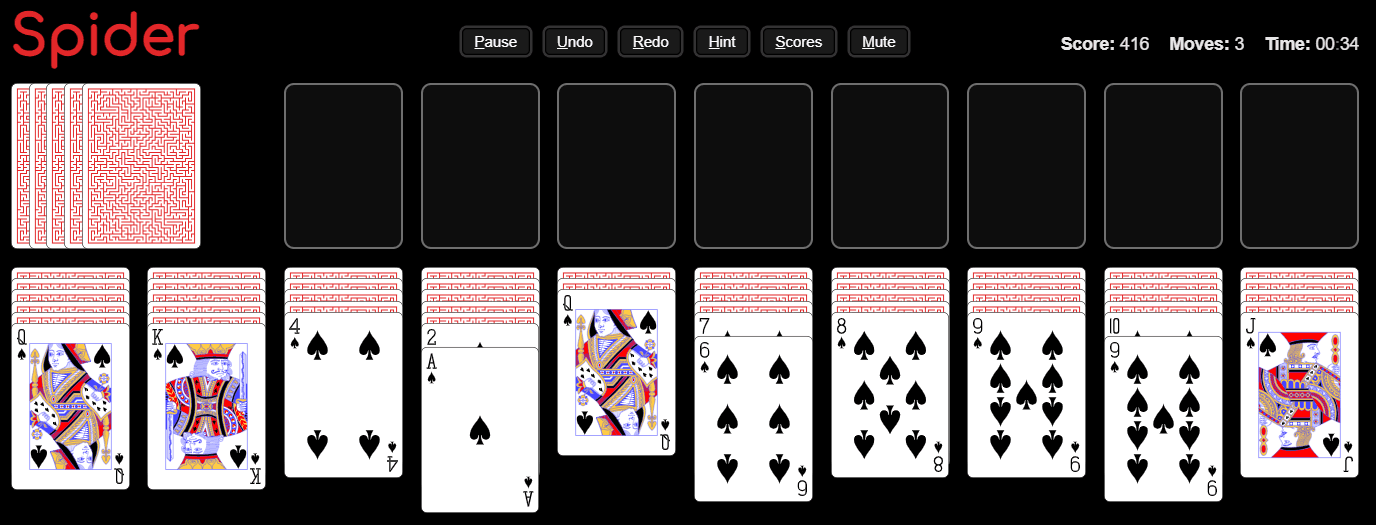
Challenge yourself with classic Spider Solitaire gameplay: build descending card sequences by suit and clear the board to win. Pick 1, 2, or 4 suits to adjust how tough the run feels—then chase the best score with moves and time tracking.
Genre: Spider Solitaire
Difficulty: Medium
Developer · Quiz Editor
Omik Babariya is a full-stack developer and quiz editor at Unihfy Games. He writes most of the quiz questions, works on the sports and entertainment articles, and has built and tested a number of the games on the site.
Spider was originally created by Tomás Malbrán and is published here under its original licence terms. We host and maintain this version, while preserving the required attribution.
How to Play
- Select a game with 1, 2, or 4 suits.
- Cards are arranged into 10 tableau columns, with some cards face down.
- Move cards by dragging a valid descending sequence onto another column where the numbers connect correctly.
- When you move cards away, the next face-down card on that column flips up automatically.
- If a sequence reaches completion (a full suit run), it will move to the foundations automatically.
- Keep building and transferring sequences across columns until all foundation piles are filled.
- If you get stuck, use Hint to show a strong next move (it may cycle through options).
- Deal from the stock pile to bring more cards into play—only possible when every tableau column has at least one card.
- Use Undo to safely backtrack if a move blocks you.
- When no more moves remain, you can undo or start again; winning happens when all foundations are completed.
Gameplay Preview
Features
FAQs
What does “building a sequence” mean in Spider Solitaire?
You move cards as a descending chain by number (each next card goes one lower) while keeping the sequence valid. When the suit run is complete, it clears to the foundations.
How do I move cards to another column?
Drag a card (or a valid descending stack) onto a column where it fits the descending number rule. If the destination column is empty, it can accept a card if you drop into the slot area.
Why do some cards turn face up during the game?
Whenever you remove cards from a column, the topmost face-down card (if any) flips up, revealing your next options.
When should I use the Hint button?
Use Hint when you’re stuck or unsure what to do next. It highlights possible moves; if no safe sequence moves exist, it may guide you toward dealing.
Can I deal new cards at any time?
No. Dealing is only allowed when every tableau column has at least one card. If a column is empty, you must make a move or undo first.
What happens if there are no more moves?
The game shows a “no more movements” screen. You can undo to continue exploring moves, or start a new game.
How do Undo and Redo affect my run?
Undo lets you reverse earlier actions. Redo lets you apply them again if you change your mind. They also impact your score, so use them strategically.
More like this

Ready for a Challenge?
Play quizzes, earn XP, collect rewards and climb the leaderboard.
Go to Quiz ArenaMore like this










Ready for a New Challenge?
Take on exciting quizzes, improve your general knowledge, earn XP, collect rewards, maintain your daily streak, and compete with players on the Quiz Arena leaderboard.
Go to Quiz Arena