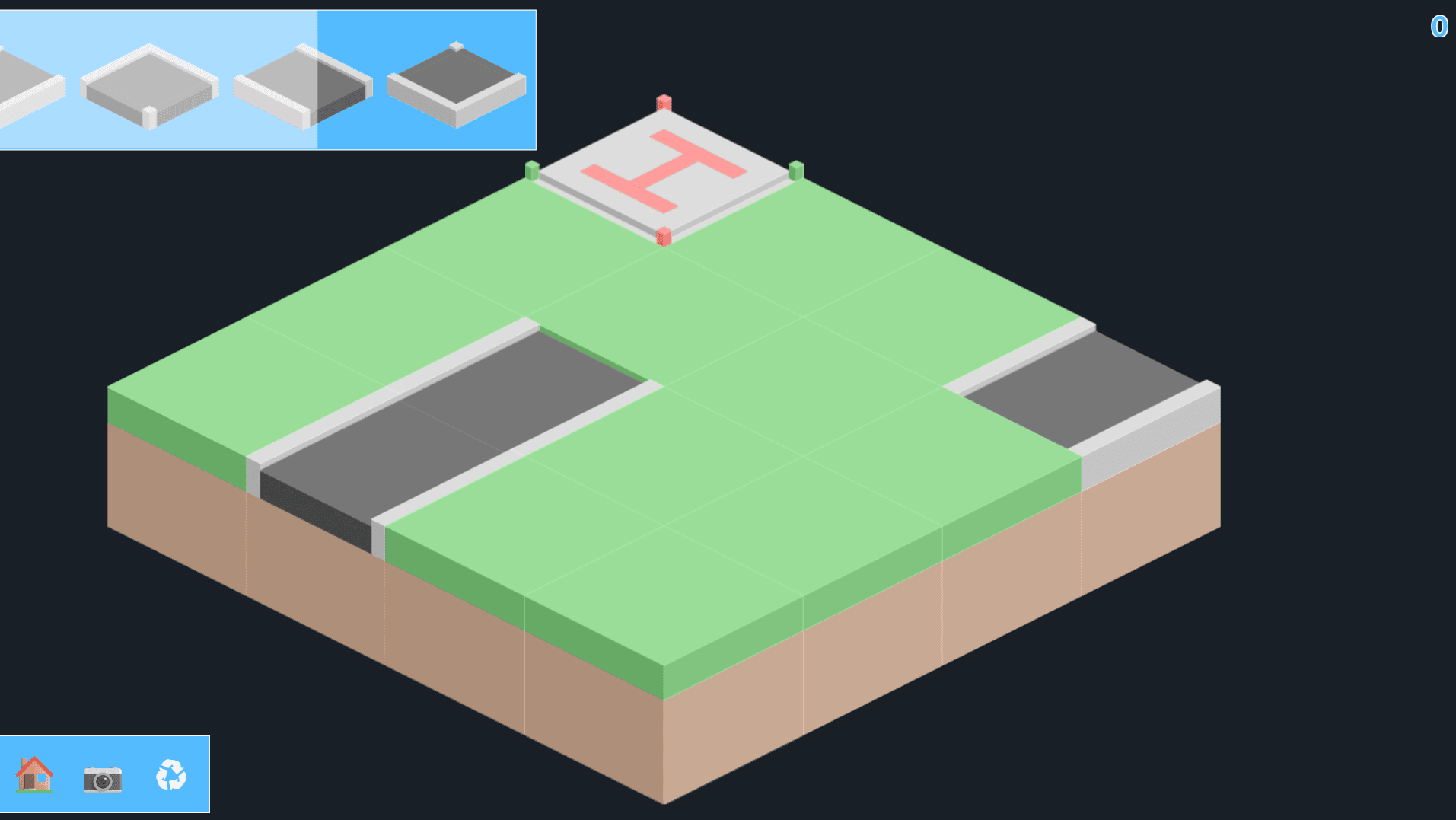
ROADBLOCKS
Games > ROADBLOCKS
Play ROADBLOCKS • Free
Connect the roads in this challenging isometric puzzle game. Place tiles strategically to create paths from start to finish across multiple levels. Test your logic and spatial reasoning skills in this addictive brain teaser.
Genre: Puzzle
Difficulty: Medium
Developer · Game Reviewer
Kaushik Hirpara is a full-stack developer and game reviewer at Unihfy Games. He does most of the work of bringing games to the site — adapting them to run properly in a browser, getting them working on phones, playing them, and writing up what players need to know.
Unihfy Games
ROADBLOCKS is an original game created and published by Unihfy Games. We continue to improve it with new features, gameplay enhancements, and platform optimizations.
Game created by Unihfy Games.
How to Play
- Select a game mode: Puzzle mode for level-based challenges or Free map for creative building
- In Puzzle mode, choose a level from the available options
- Pick up road tiles from the inventory at the bottom of the screen
- Drag and place tiles onto the grid to create a connected path
- Connect the starting point (helipad) to the destination using road tiles
- Tiles must connect properly - roads must align with adjacent tiles
- Complete the path to win the level and unlock the next one
- In Free map mode, build your own road networks without restrictions
- Use the restart button if you get stuck and want to try again
Gameplay Preview
Features
FAQs
How do I start playing ROADBLOCKS?
Simply open the game in your browser and select either Puzzle mode for structured levels or Free map mode to build freely. No download or installation required.
What is the objective of the game?
In Puzzle mode, your goal is to place road tiles to create a connected path from the starting helipad to the destination. In Free map mode, you can build any road network you imagine.
Can I play on my mobile phone?
Yes. Tiles are picked up by tapping and positioned by dragging, the same two actions the desktop version uses with a mouse, and the board scales to whatever screen it is on.
How do I know if I've placed a tile correctly?
The game shows visual feedback when placing tiles. A green indicator means the placement is valid, while a red indicator shows the tile doesn't connect properly with adjacent tiles.
What happens if I get stuck on a level?
You can use the restart button to try the level again from the beginning. Your progress in other completed levels is saved, so you can always come back later.
Can I undo a tile placement if I make a mistake?
Yes, there's a dedicated undo function for correcting a placement without having to restart the whole level. It's most useful in Puzzle mode where later tiles depend on earlier ones being right.
Can I share my creations with friends?
Yes. The camera button captures the current board, which is how you save a solution or a map you have built to share it.
More like this

Ready for a Challenge?
Play quizzes, earn XP, collect rewards and climb the leaderboard.
Go to Quiz ArenaMore like this

Ready for a New Challenge?
Take on exciting quizzes, improve your general knowledge, earn XP, collect rewards, maintain your daily streak, and compete with players on the Quiz Arena leaderboard.
Go to Quiz Arena