Puzzle Master
Games > Puzzle Master
Play Puzzle Master • Free
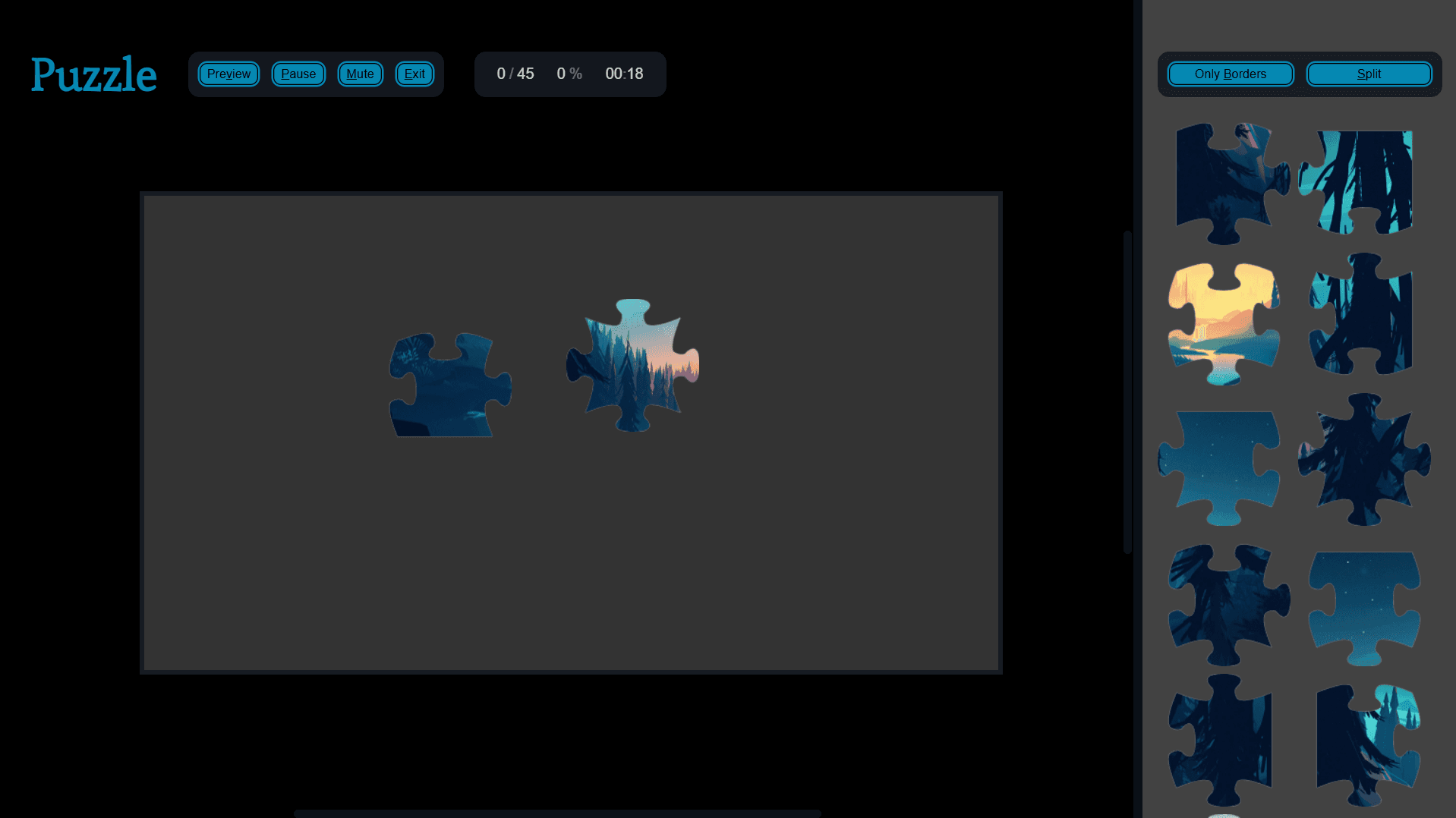
Assemble a beautiful picture by dragging pieces into place. Combine matching parts, use smart hints like border-only mode, and finish the puzzle with progress and time tracking. Choose different puzzle sizes to control how challenging it feels.
Genre: Jigsaw Puzzle
Difficulty: Medium

Content Writer · Quiz Editor
Omik Babariya is a Content Writer and Quiz Editor at Unihfy Games, where he works on quizzes, gaming articles, entertainment content, and editorial resources for players.
How to Play
- Select a puzzle category, then pick a specific puzzle image.
- Choose the piece count (smaller counts are faster and simpler; larger counts are harder).
- Press Start (or Continue if you’ve already worked on this puzzle).
- Drag pieces from the drawer into the table area to position them and look for matching fits.
- When you’re ready, drag a matching piece or bundle from the table and drop it onto the board area until it locks in.
- Use Only Borders when you want to focus on the puzzle frame (the outer edge pieces).
- Finish the puzzle by placing all pieces; you’ll see a completion message and can select a new puzzle.
Gameplay Preview
Features
FAQs
How do I know when a piece will fit?
Move the piece into the board area and release it—when it matches the correct spot, it will lock in place and count as placed.
What does “Only Borders” do?
It filters the drawer so you only see edge (border) pieces. This helps you build the puzzle frame first before filling in the middle.
How does the table help?
The table is your workspace for trying combinations. You can drag pieces there, and matching neighboring pieces can combine into bundles you can move together.
What is “Split” or “Join”?
Split toggles the drawer into two sections so you can separate pieces into two groups while you work. Join brings everything back into a single drawer.
Can I drag and place multiple pieces at once?
Yes. When pieces combine into a bundle on the table, you can pick up the bundle and drop it onto the board as a unit (as it fits).
Does the game save my progress?
Yes. Your placed-piece progress, time, and your puzzle setup are saved so you can continue where you left off.
What happens after I complete the puzzle?
The game stops and shows a congratulations screen. You can then restart by selecting a new puzzle.
More like this
Ready for a Challenge?
Play quizzes, earn XP, collect rewards and climb the leaderboard.
Go to Quiz ArenaMore like this
Ready for a New Challenge?
Take on exciting quizzes, improve your general knowledge, earn XP, collect rewards, maintain your daily streak, and compete with players on the Quiz Arena leaderboard.
Go to Quiz Arena